Previous Project –
Time Tracking
From zeros users to important module
Time Tracking
Since the first launch of our time tracking feature, none of our users have used it. They still use excel to track their time. We did not want our users to rely on an external application for their time tracking, so we redesign our time tracking feature to make it easy-to-use and accessible for our users.
Understanding & Research
I worked closely with my project manager and full-stack engineer to redesign and build this new time tracking feature. My project manager compiled a tentative list of possible features which included:
- Ability to submit and lock hours
- Dashboards of budget hours v.s actuals
- Distinguish billable v.s non-billable hours
I created user personas of all our different users: external auditor, internal auditor, owner, and c-level executive to see if they reported any pain points regarding time tracking.
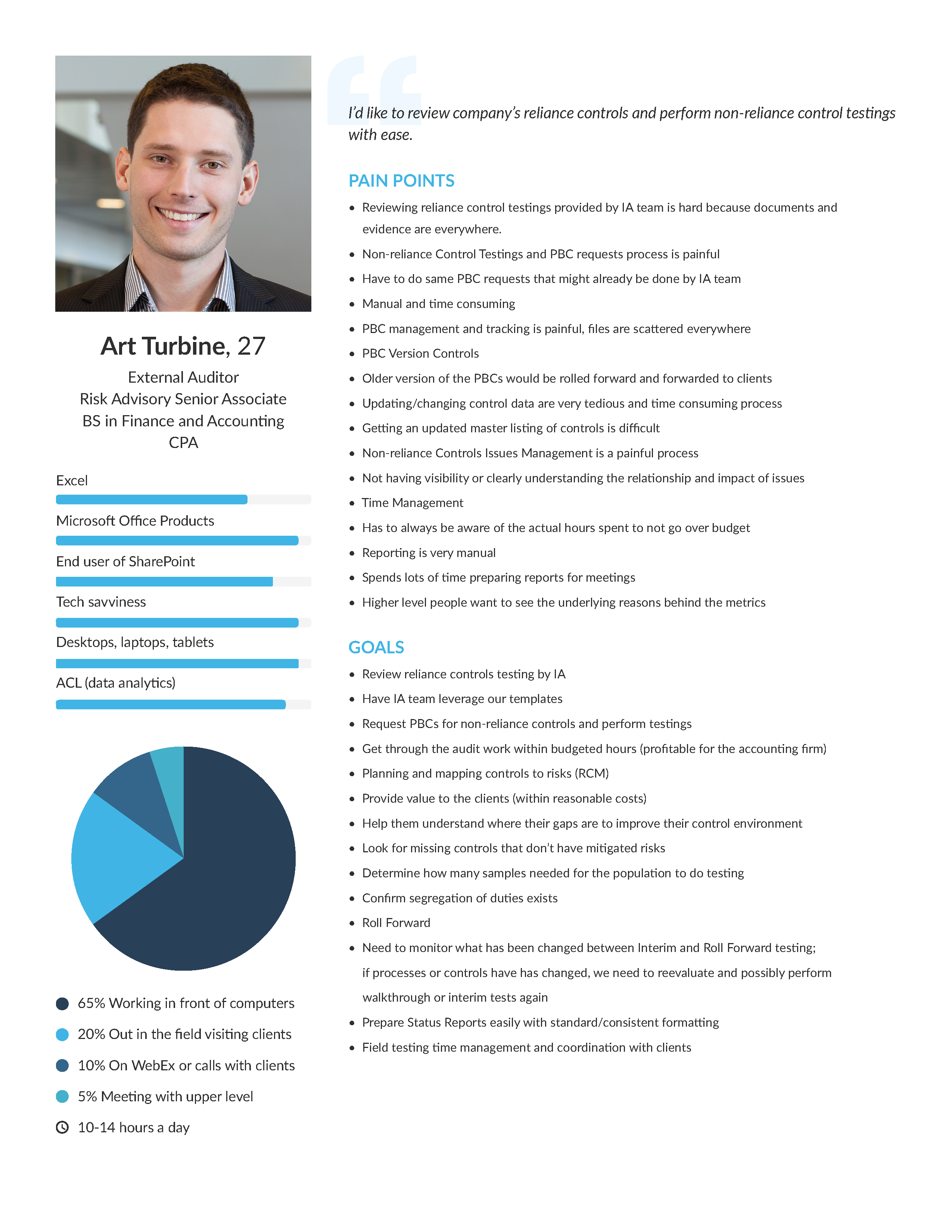
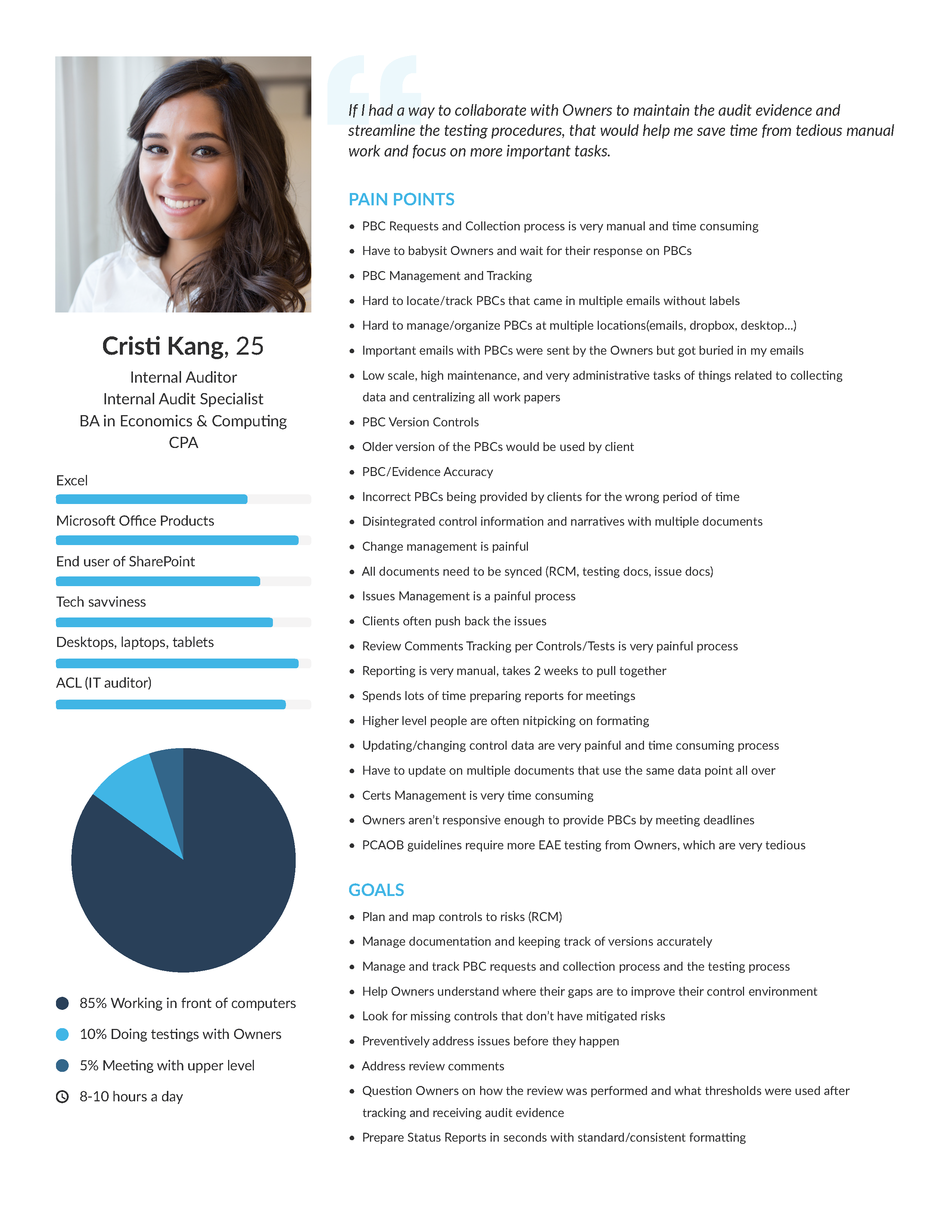
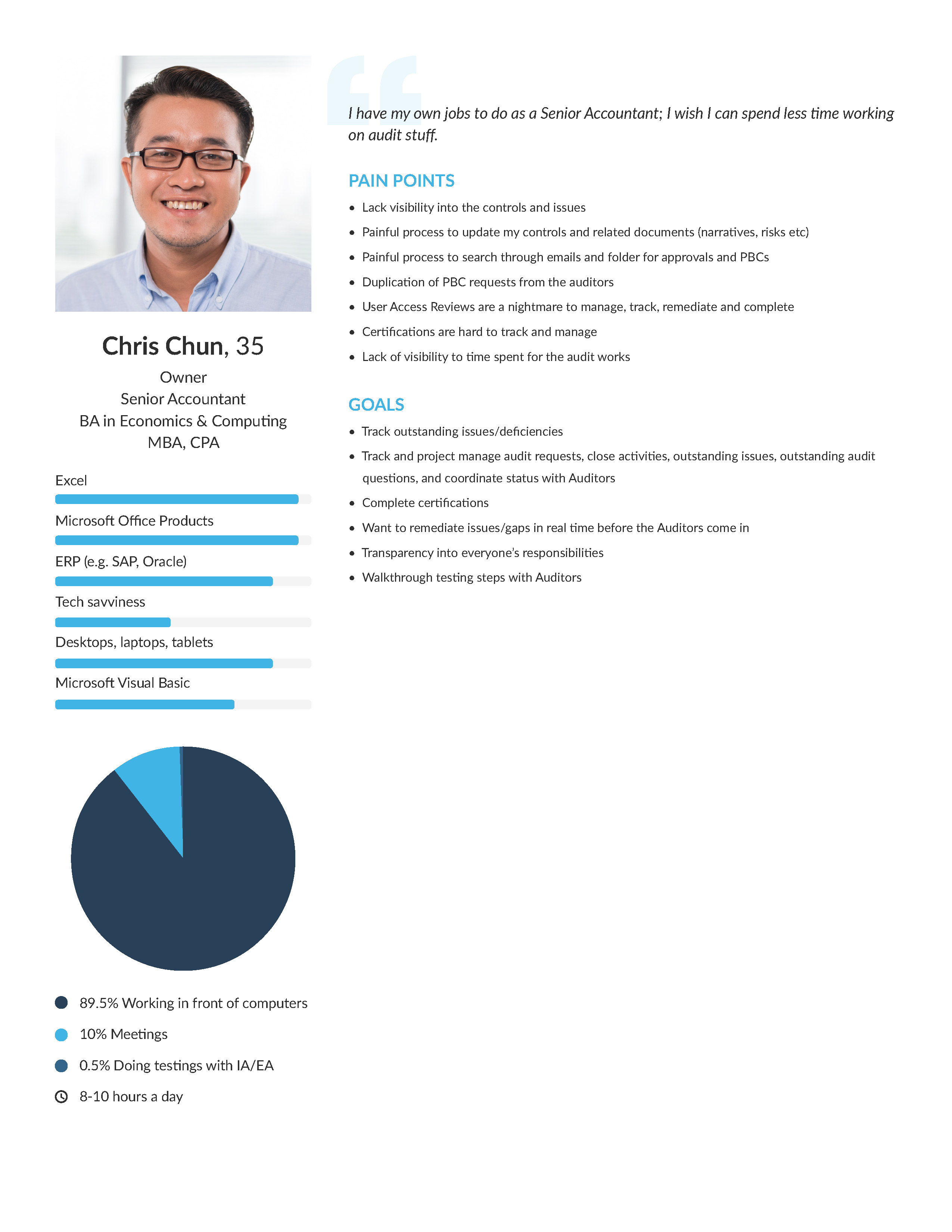
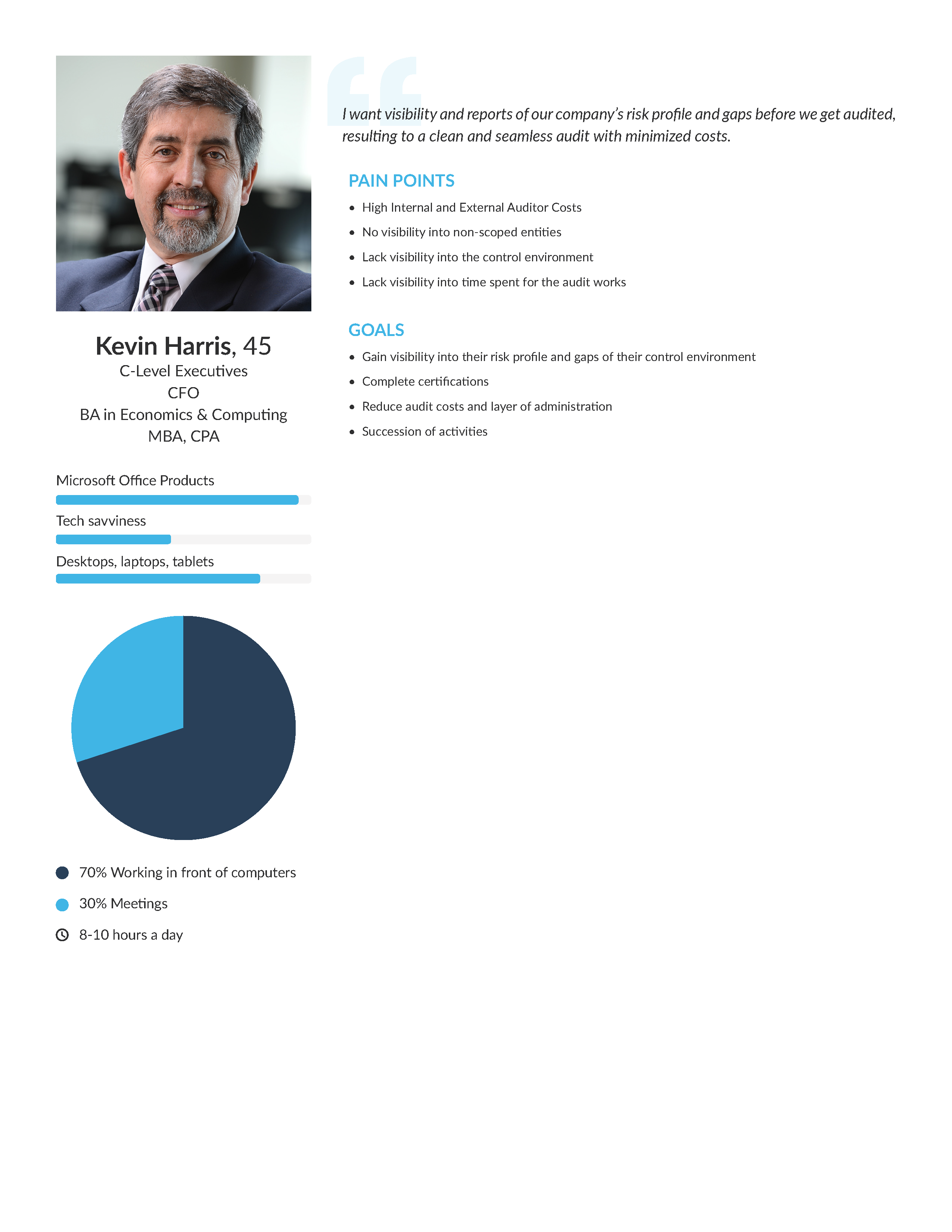
I interview former internal and external auditors that used our time tracking feature to understand what were the biggest pain points of our time tracking feature:
- No ability to create a timesheet without a category
- No ability to submit reports to supervisor
- Lack of employee hour visibility from manager perspective
- Tracking time at the wrong level (Section rather than WorkStep)
MVP & AC & Job Stories
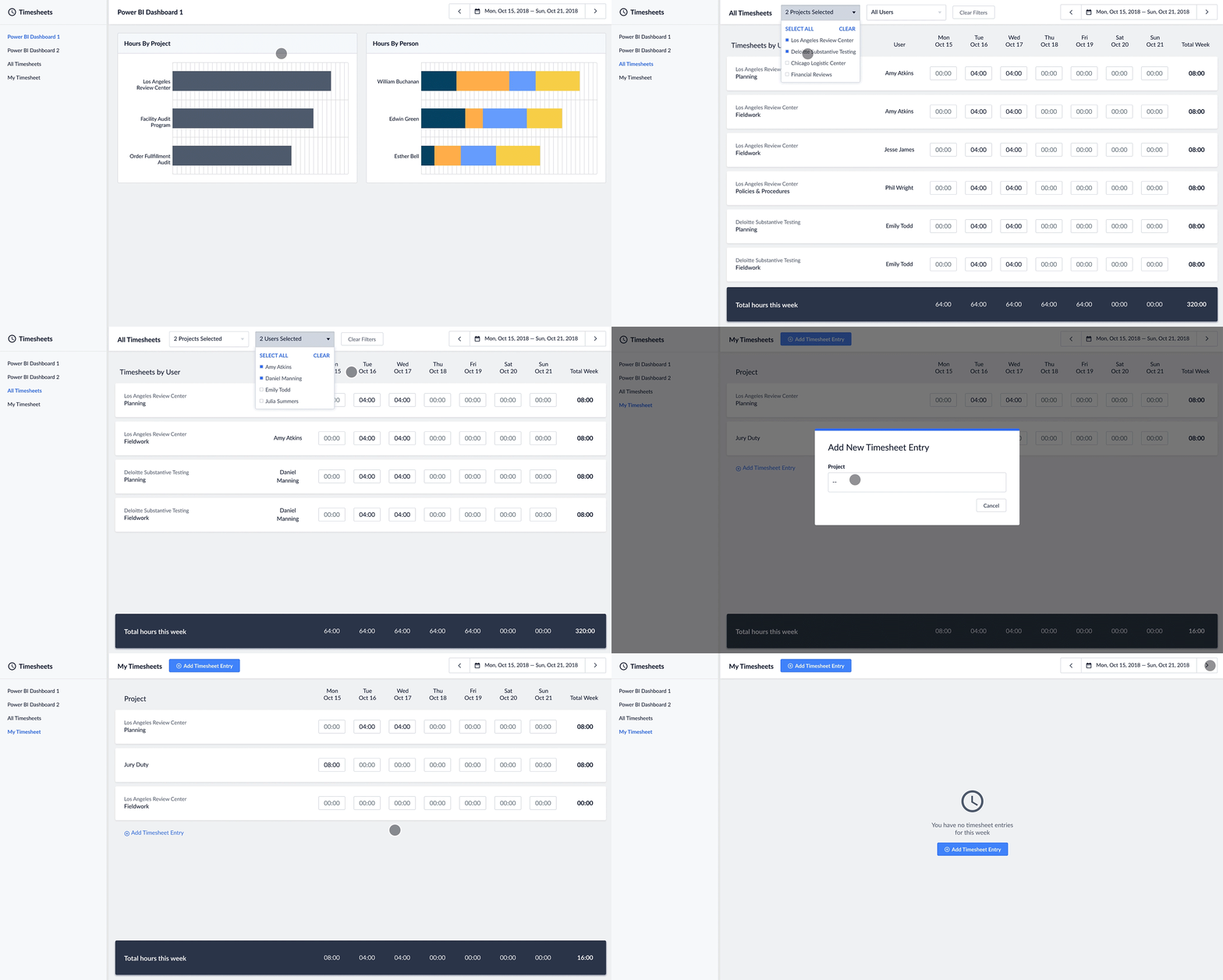
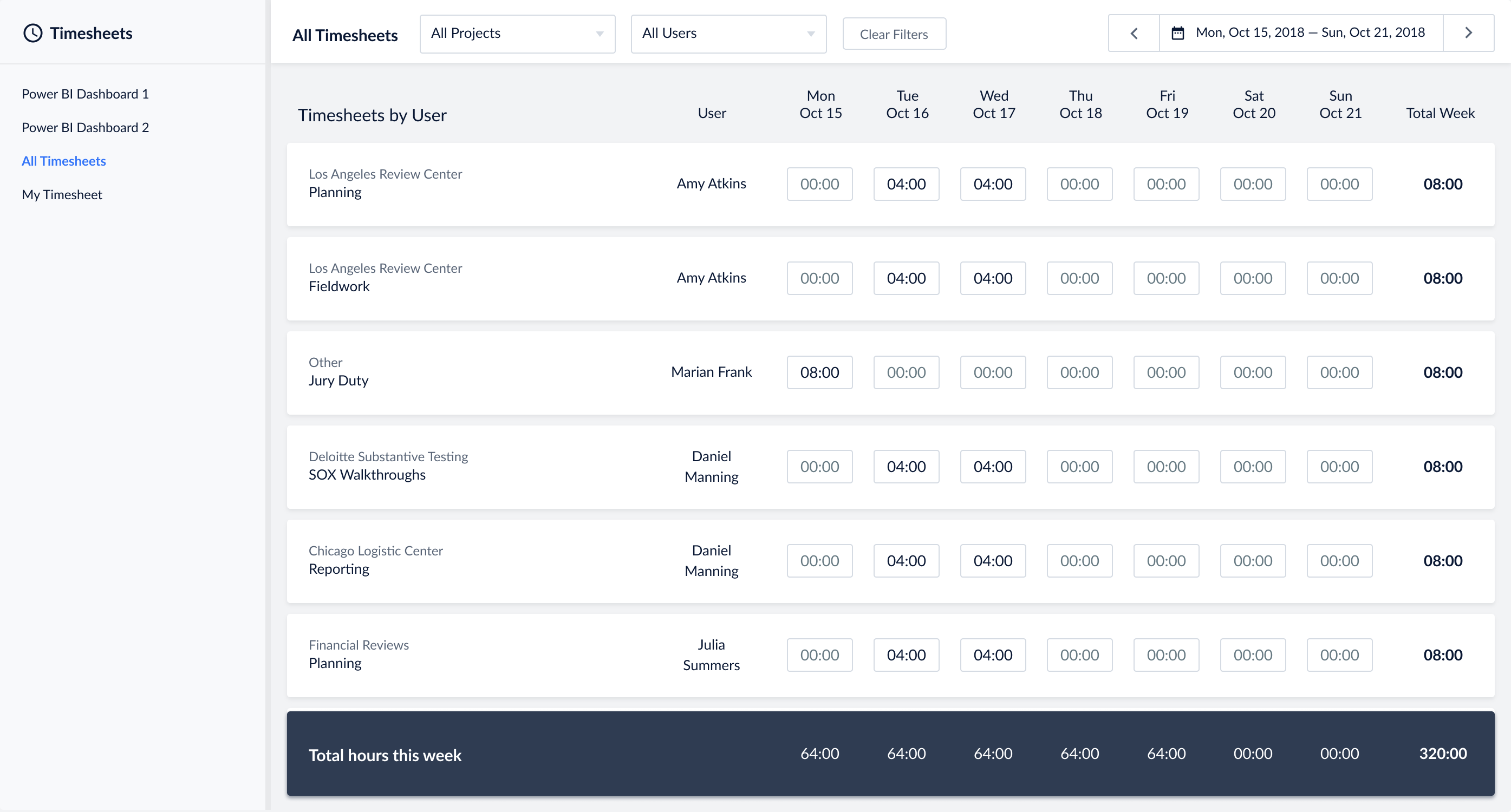
From all that research, I talked to my project manager to discuss any changes to his initial AC, User Story. Together, we complied new Job Stories and updated our AC and MVP. It turns out, there would need to be 2 experiences, one for auditors and another for project managers. The project manager’s experience would be more of an admin level and would require dashboards of complied timesheets data, a view of everyone’s timesheets, and also access to their own timesheet. The auditors experience would be adding time to their own timesheet.
After we discussed my solutions, my project manager and engineer agreed that for this MVP we would only focus on OpsAudit because SOXHUB required more research that would not make it in our next release. We also decided to not include SOXHUB because time tracking is not valuable to SOX auditors as it is for OpsAudit auditors.
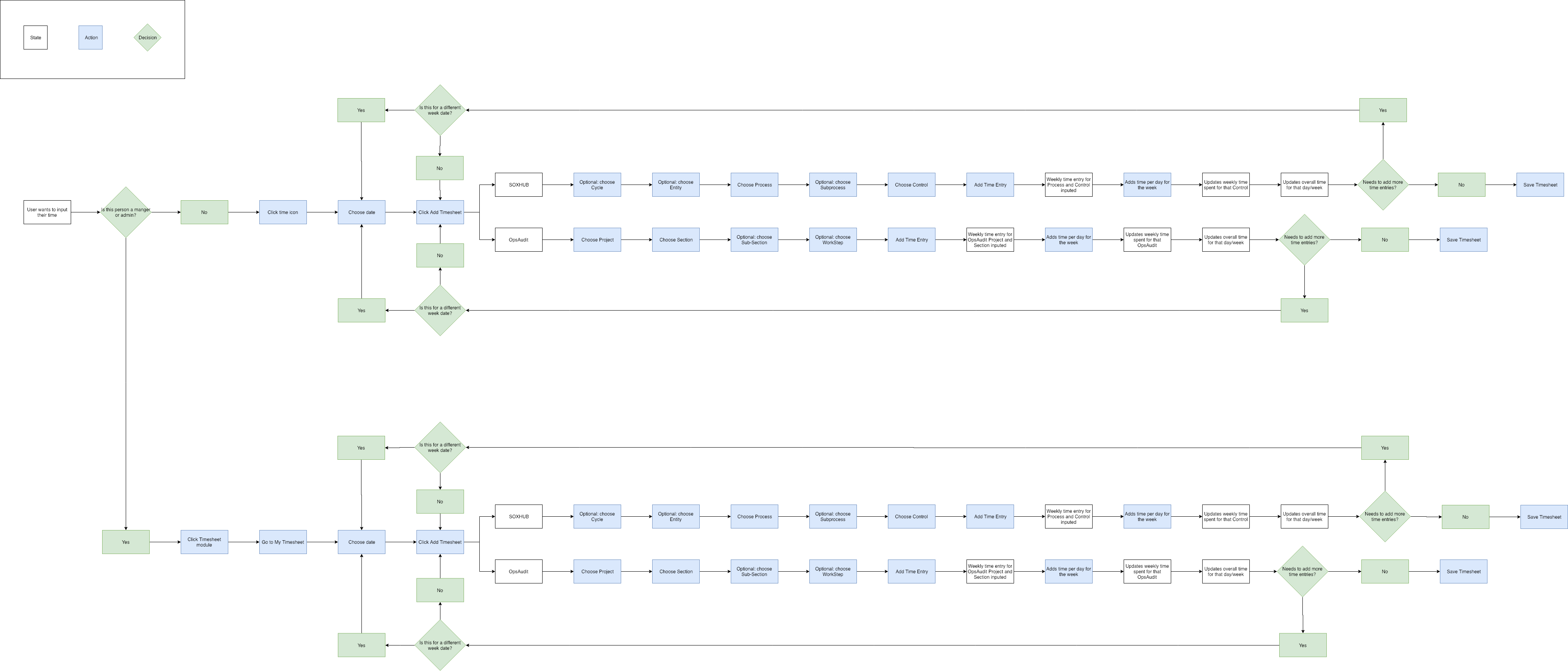
Time Tracking User Flow
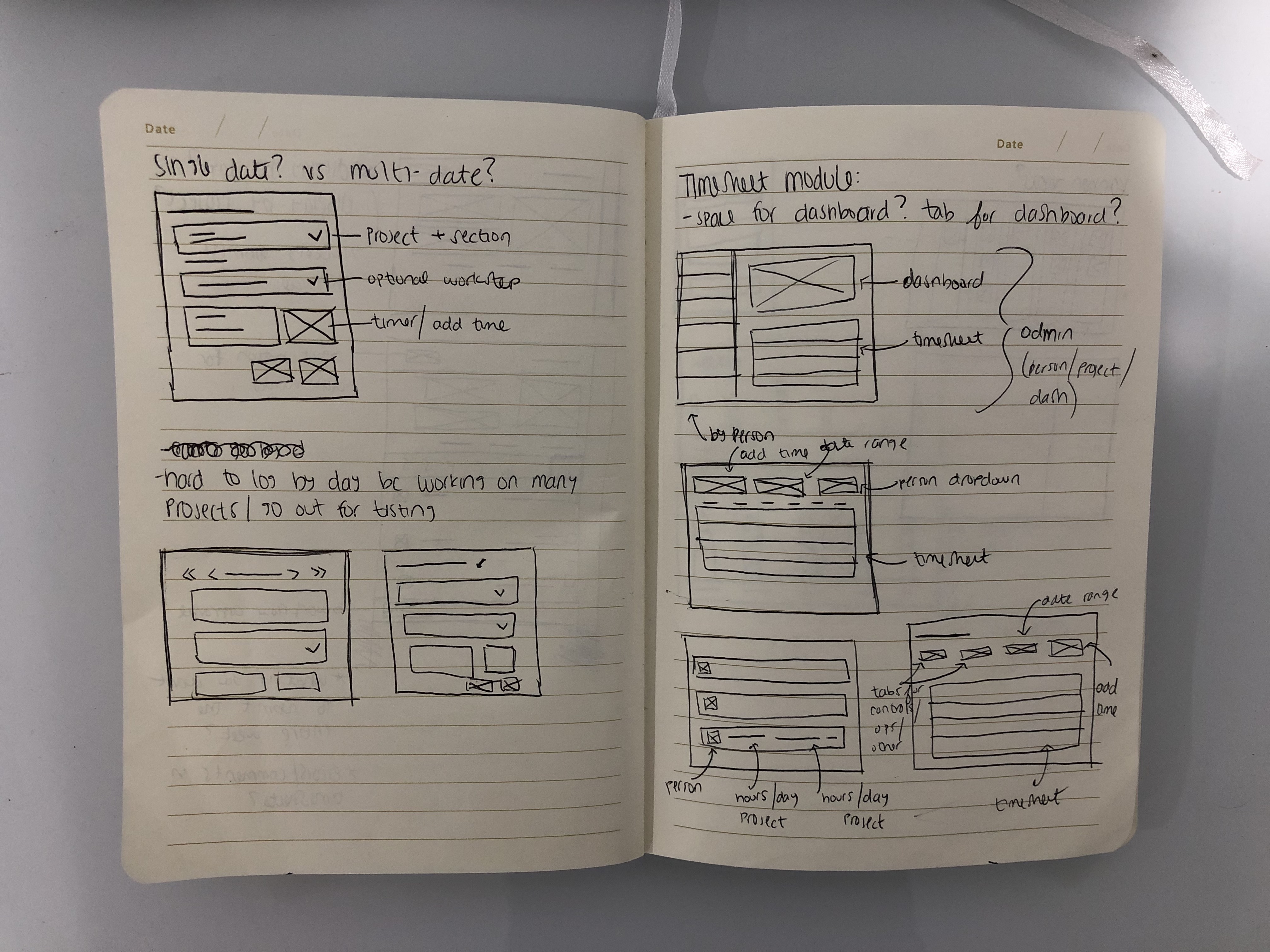
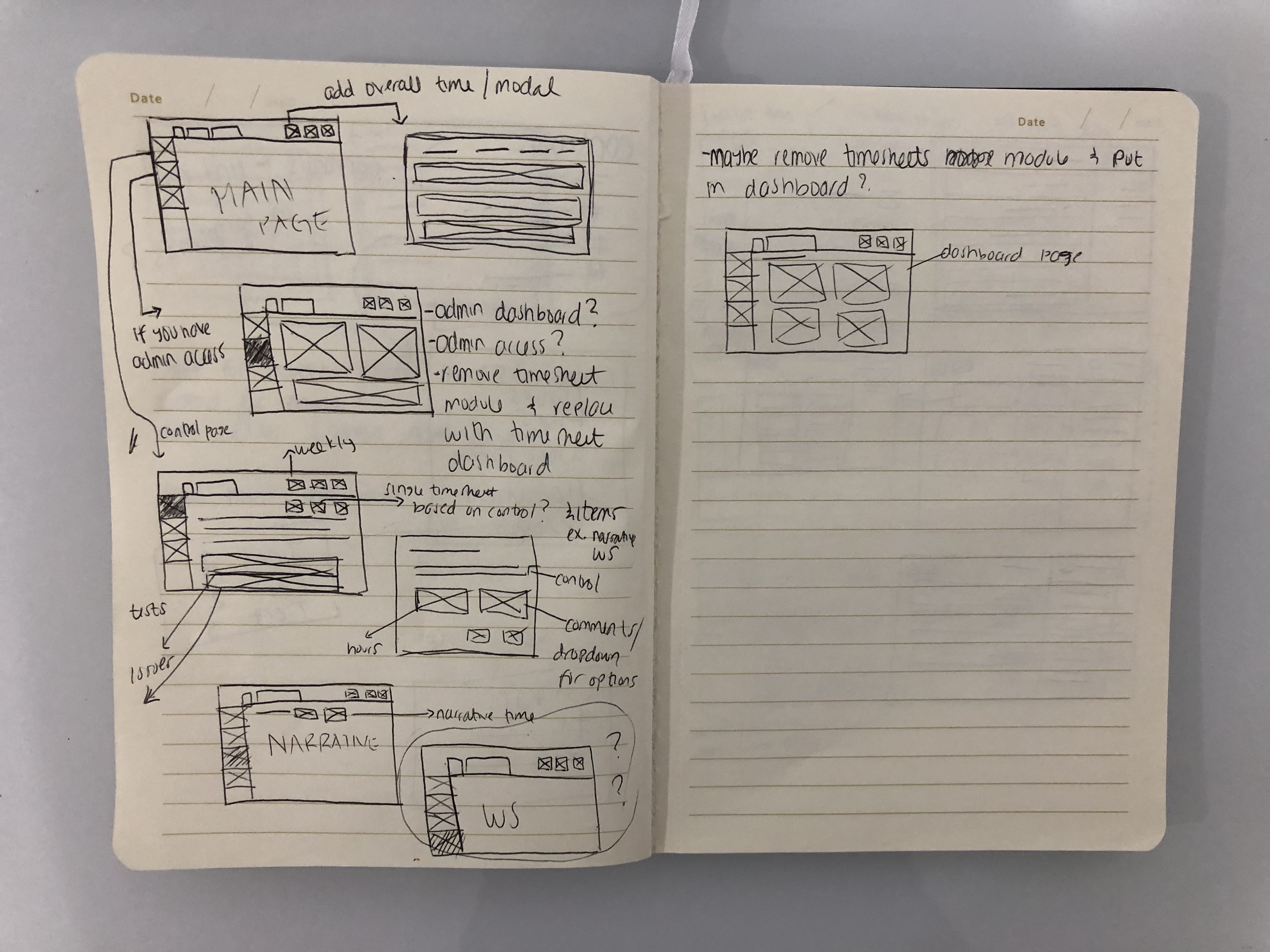
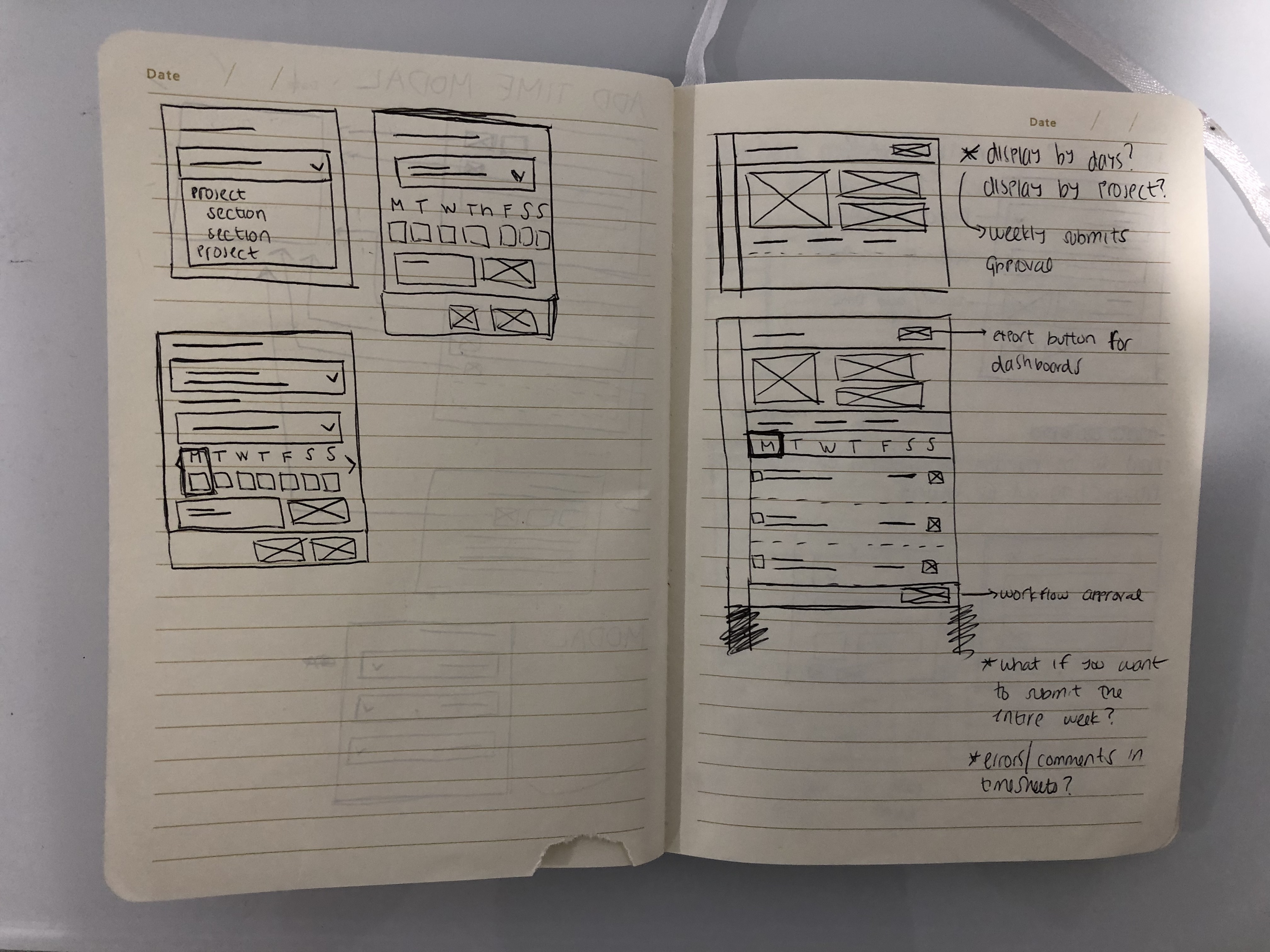
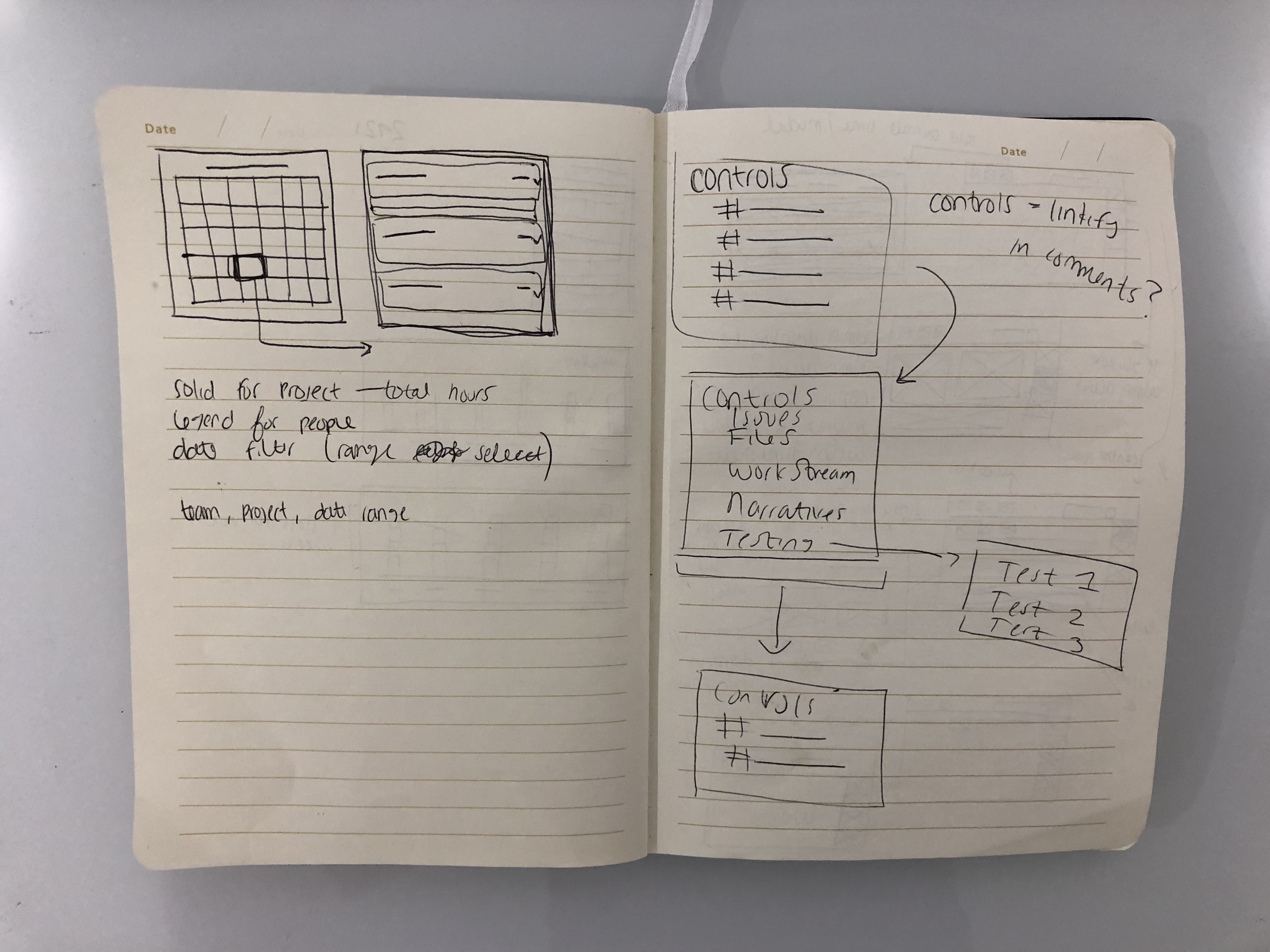
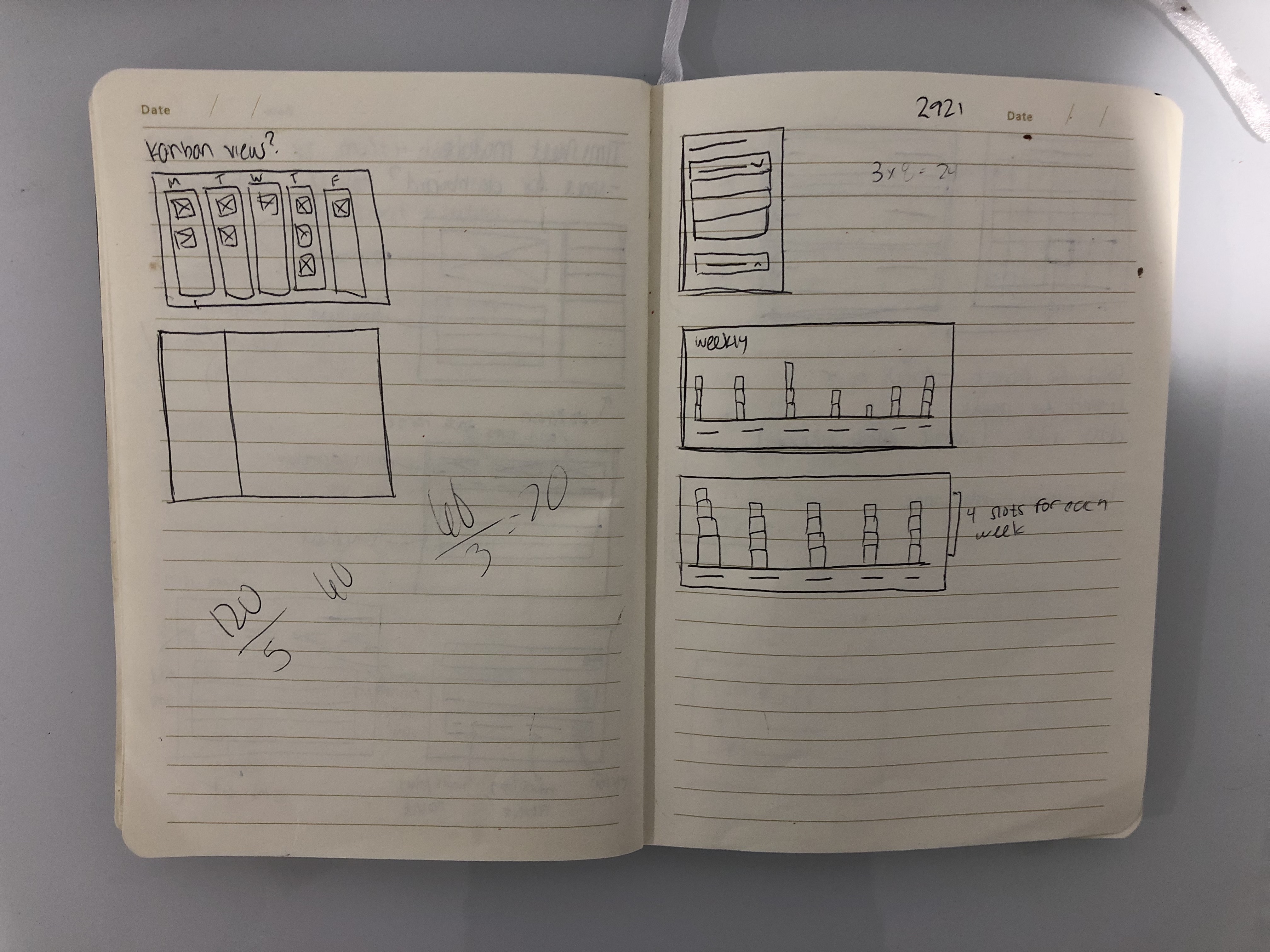
There were a couple styles of wireframes I needed to work on. I needed to wireframe a single entry modal, a weekly entry modal, and a dashboard module. To make wireframing easier, I used the same wireframes from the weekly modal to the all timesheets page because their layouts were similar with the addition of the users column under all timesheets.
Dashboards
The dashboard were going to be made with Microsoft Power BI, but I designed a hi-fidelity mock-up of how the graphs should look like and what data should be shown. There were three types of dashboard. The first one was “Hours by Project” to have project managers see what projects their team took the most time on. The second one was “Hours by Person” to see what users spent the most time on.
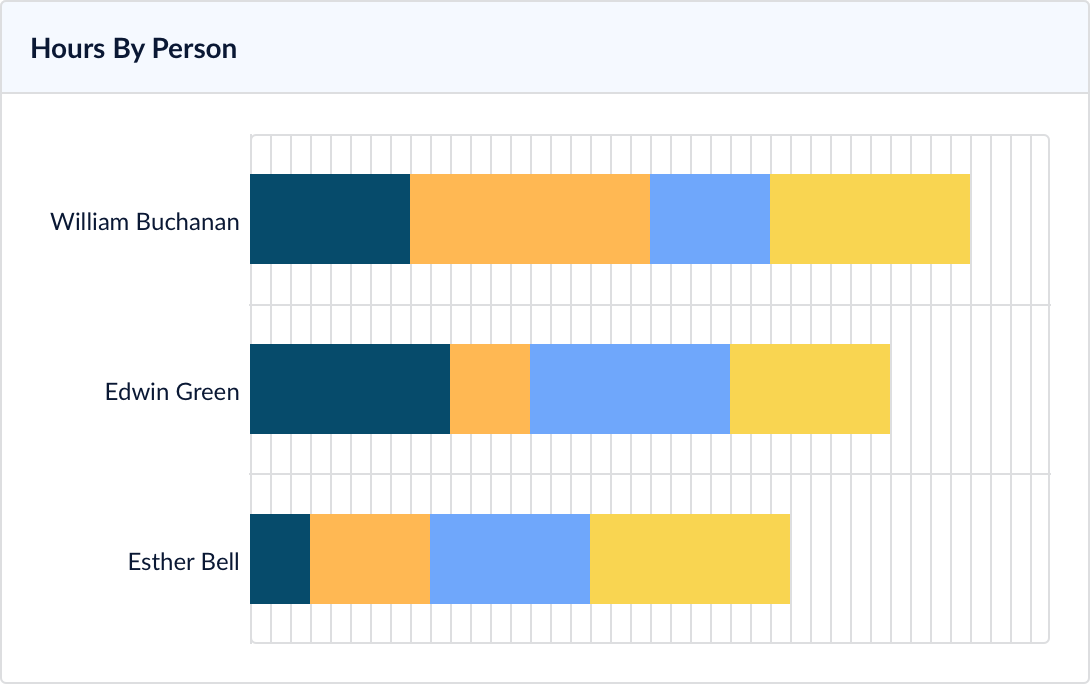
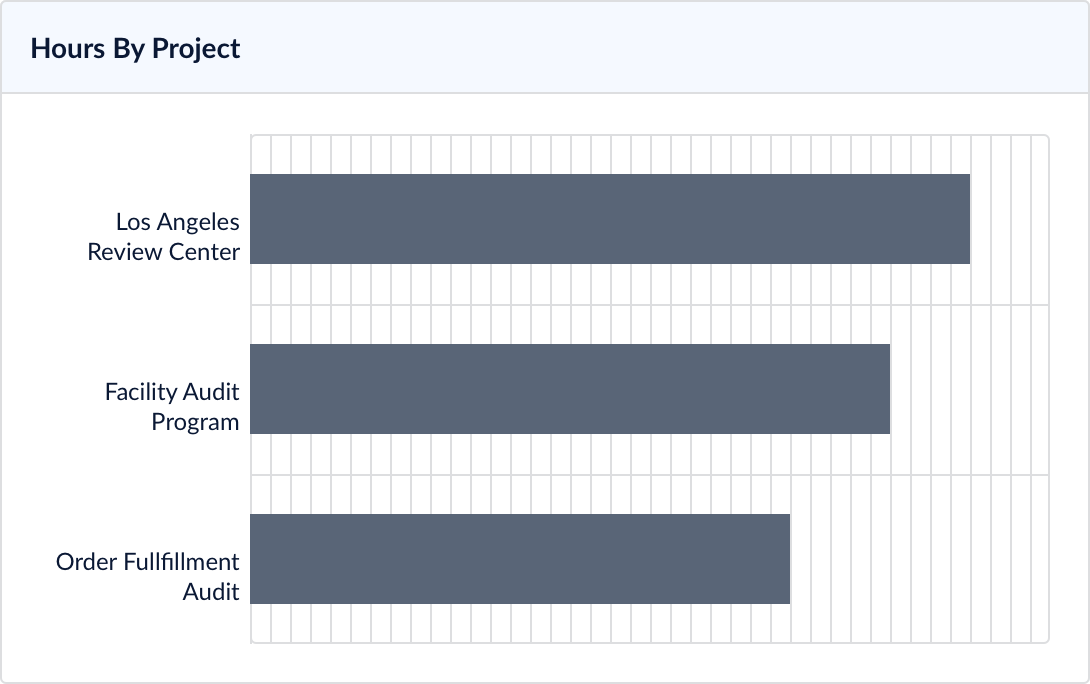
The third dashboard would be a new design. It would solved the job story:
“As a manager, I want to see which days my team does not fill out their respective hours”
I designed a monthly calendar view that would show how many hours were submitted on which days, and when you click into a specific day, you can see which users submitted hours and what project they were working on.

Out of Scope
Some out of scope issues that were encountered were the calendar view dashboard. After conducting user testing, users found that the calendar view was helpful, but not essential. So our updated MVP was not to include the calendar dashboard view to make implementation of time tracking meet deadline.
Another out of scope issue was the idea of submitting time sheets. Even though submitting timesheets was a feature users asked for, technical restraints prohibited us from implementing that feature. There would be a rough design made, but further product research is required and will not make it into this MVP.
Final Final Final Changes
A final change through user testing that was implemented was the placement of the time tracking button. Before, the user flow had the user go into the time tracking module and add their time in the actual module. After user testing, we found that there were too many steps for that user flow and having a button on the main page that displayed an overlay module was the most efficient.
For the auditor user, the time tracking module will be hidden by permissions and there will be a time tracking button that displays a weekly timesheet modal. For the project manager user, the time tracking module will be shown to see all Power BI dashboard, all timesheets, and their personal timesheet.
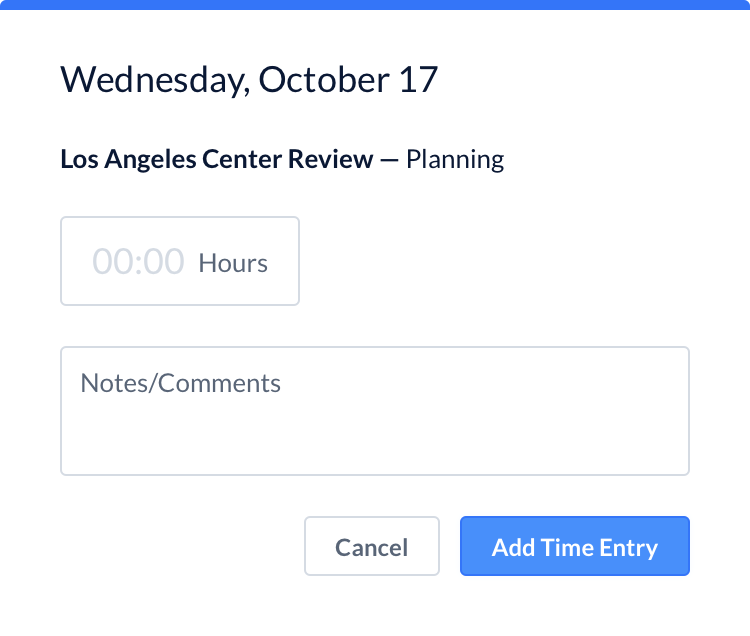
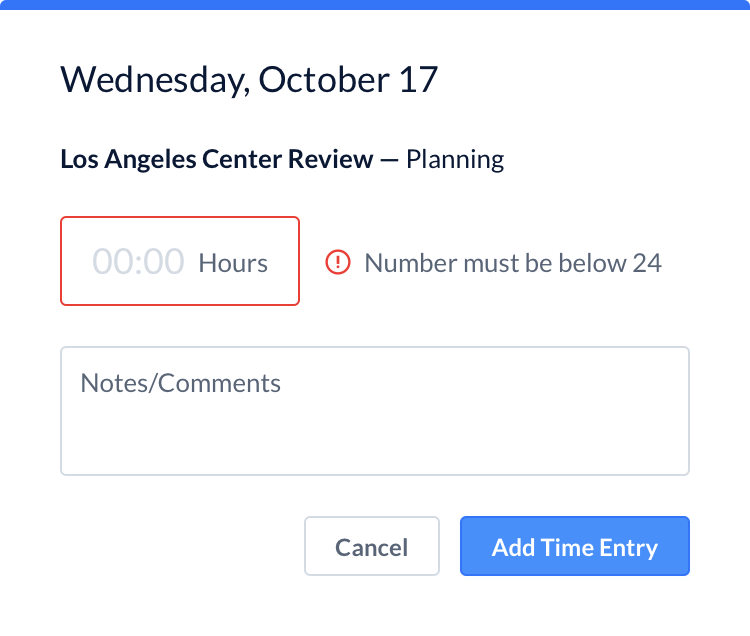
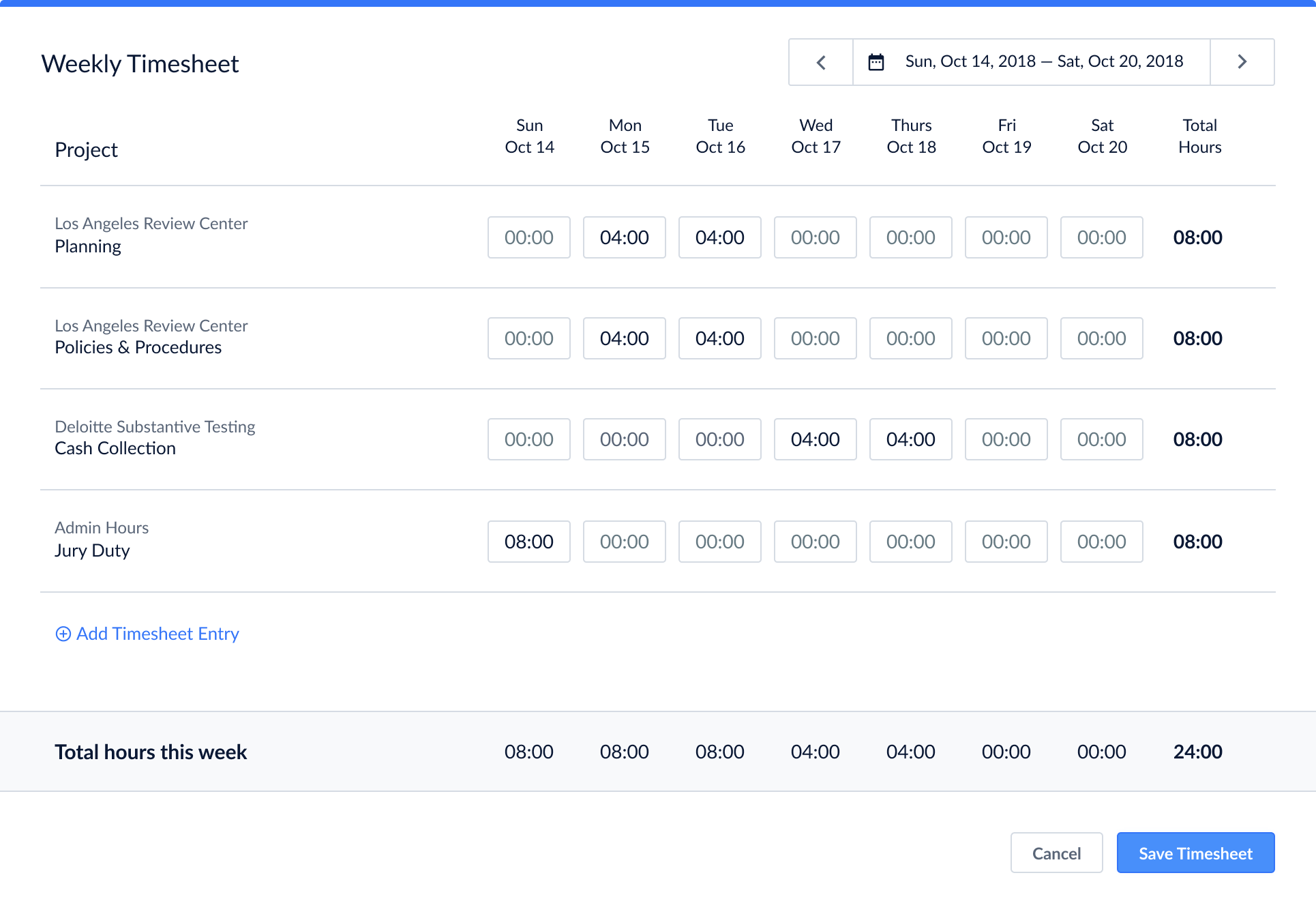
As the UI designs were being finalize, the engineer built the back-end portion of time tracking and the skeletons of the front-end. Once the engineer finished building the foundation of time tracking, I went in to code the front-end to be pixel perfect. After extensive user research and multiple agile iterations, we created a new time tracking feature for OpsAudit that will allow users to easily track time within the app and keep all their files and information in one centralized hub.