Previous Project –
AuditBoard
Below are a few of the projects where I was the design lead. I oversaw everything from the UX research, UI interface, and front-end developing.
Folders & Files
Using design systems for a quick redesign
Folders & Files
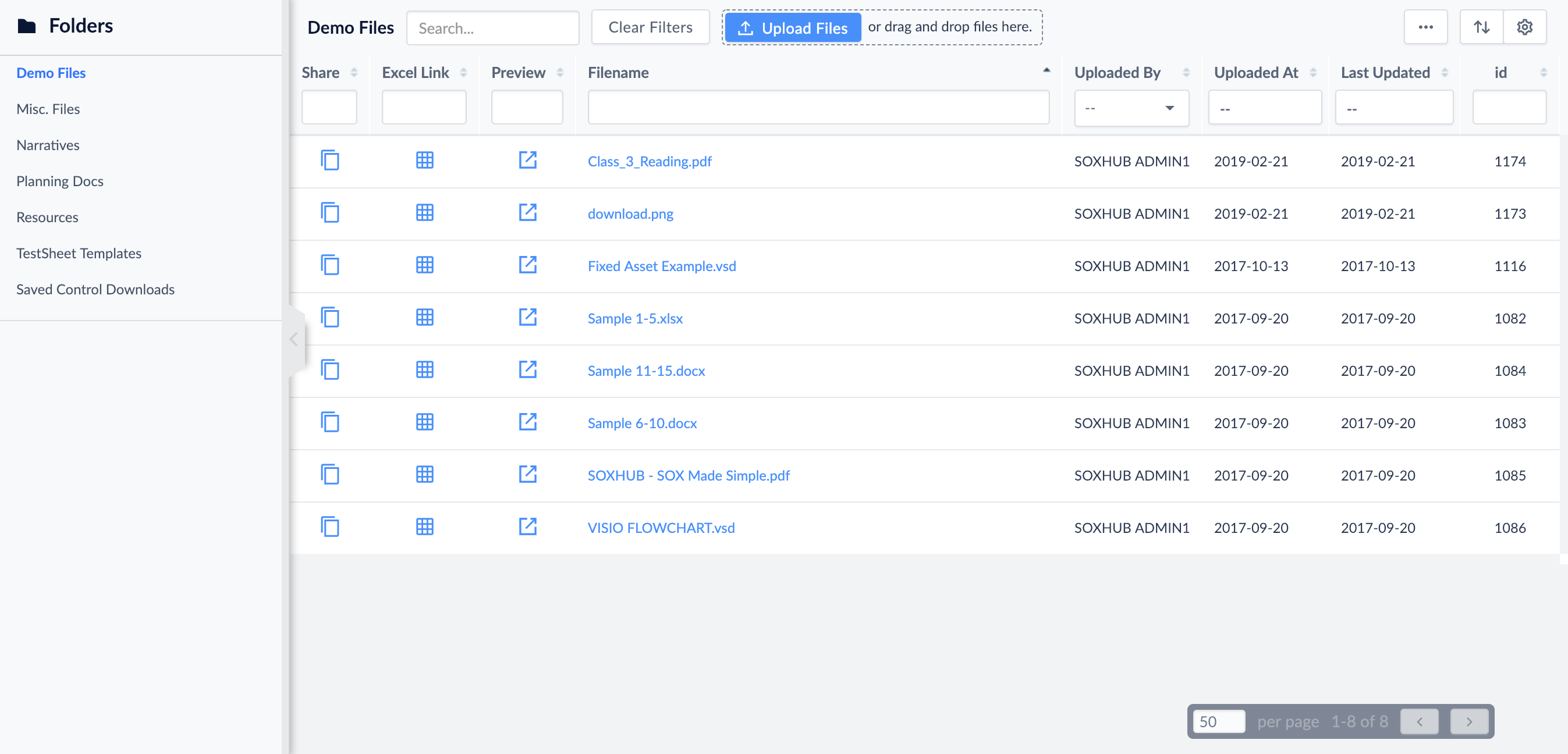
Our files modules was a repository for all files users wanted to import into our app for later use. As we added more clients, there was a need to create folders and subfolders for added organization to their work environment.
MVP
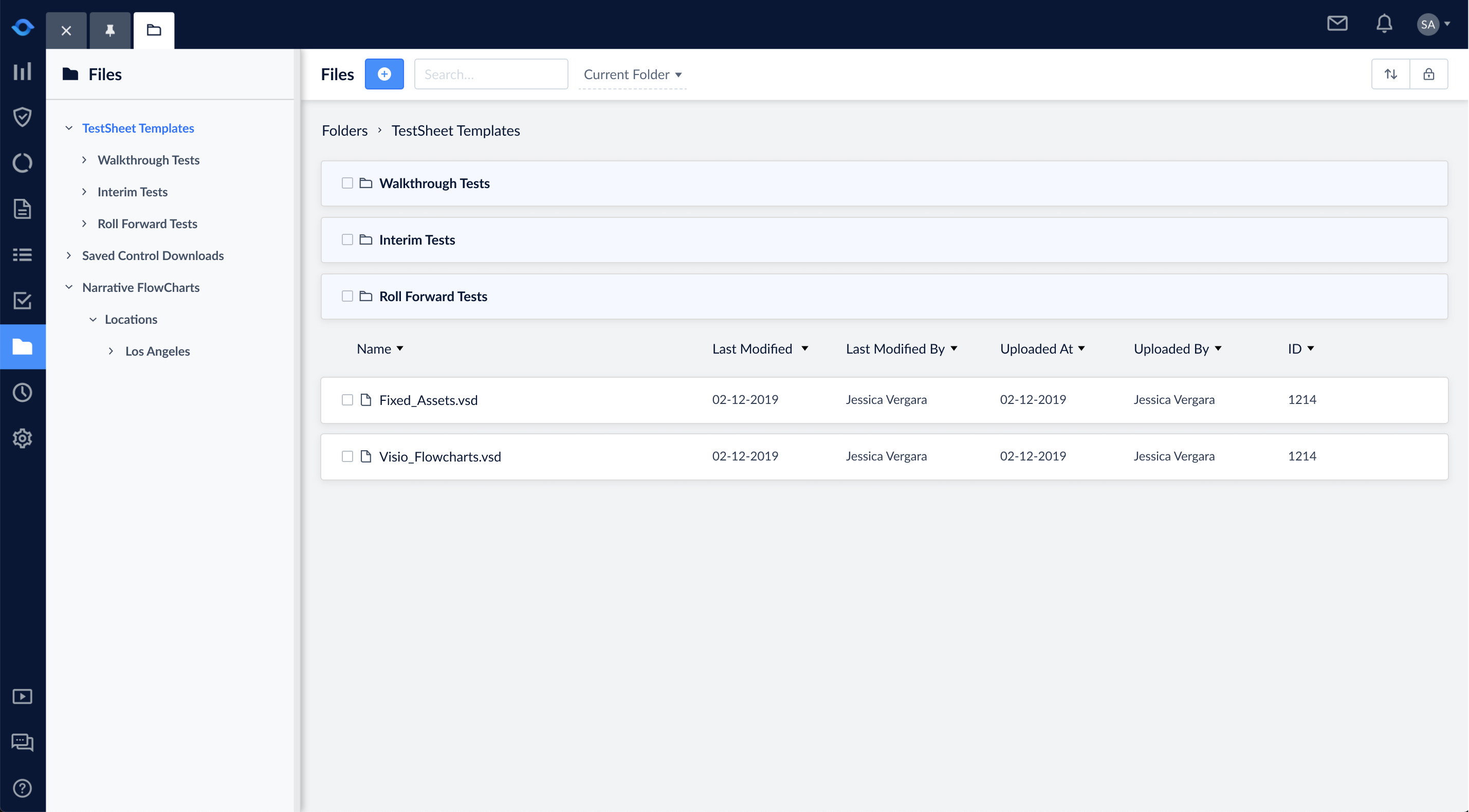
The main MVP for our Files modules was the ability to create sub-folders. Other features included in the MVP was: the ability to move files and folders to other folders, a global search and search within a specific folder, the ability to rename folders and files easily, keeping all current files functionalities (deleting a file, downloading a file, editing a file, etc.)
User Research
I interviewed our sales, customer service team, and implementation team and asked them for any potential and current user feedback on our current Folders module. Unanimously, they all agreed that the proposed epic included all of users needs.
On the technical side, our engineers needed to configure the ability the create sub-folders. The rest of the project was doing a UI redesign of our current Folders module to match the rest of our app. Our current Folders module used a datatable which does not allow for creating hierarchy or subfolders.
Competitor Analysis
There are other file organizers out there, so I wanted to explore the experience many popular file organizers. I looked at Window’s Window Explorer, Apple’s Finder, Google Drive, and Dropbox. They all had a similar design of this “list” or “tree” view.
Currently, our app incorporates this tree view style incorporated from our OpsAudit module. To be consistent with our design system, I used the same design but added the extra functionalities the other file organizers had.
User Flow
I designed a user flow of how a user would add subfolders to the Foldes module and accessing files and folder functionalities.
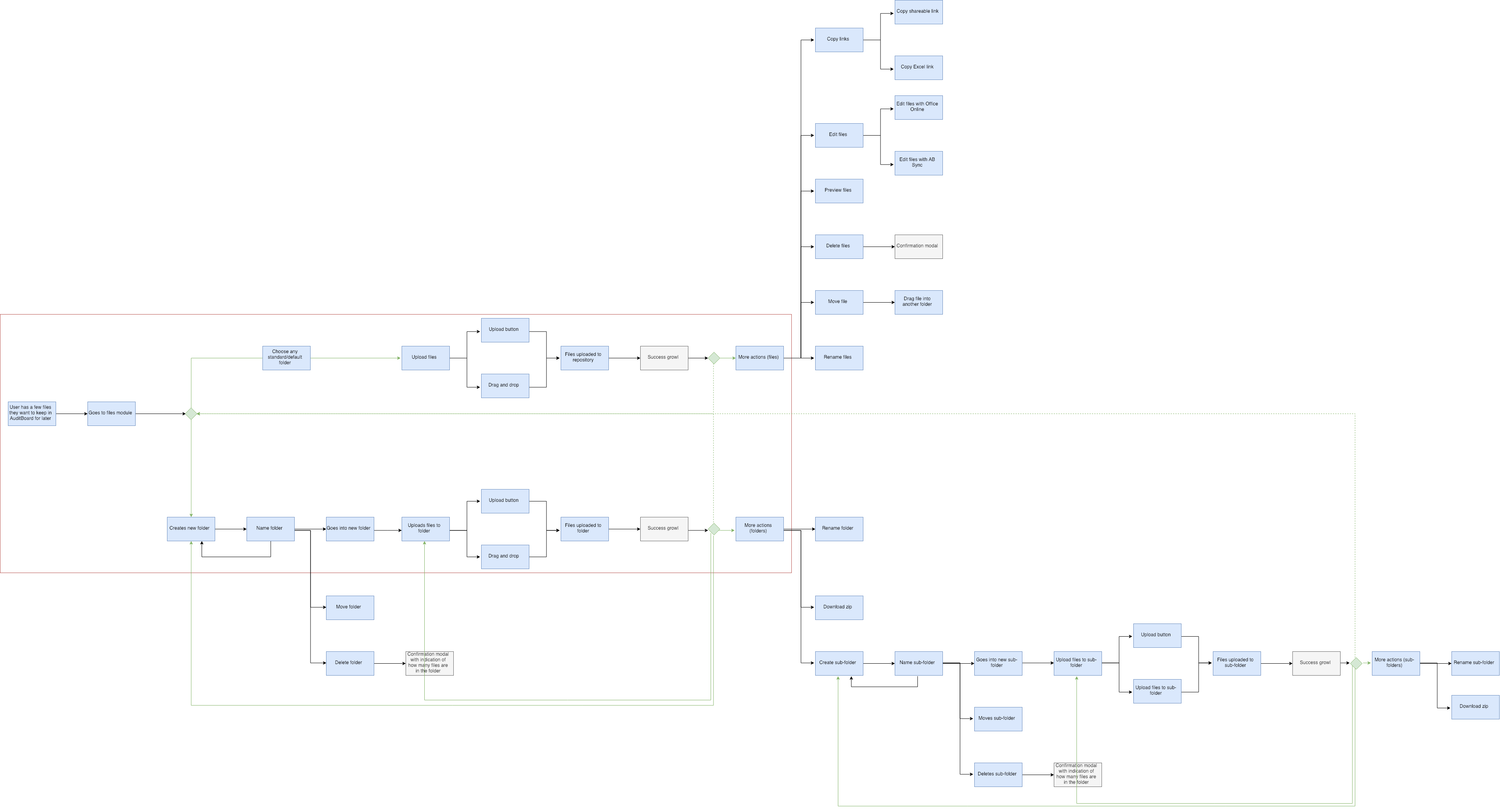
Folders and files user flow
I recreated the user flow of inserting a file into a Narrative document or attachment document. Before, users had to upload their files into our toolkit first, check out a Narrative document, and then insert an image. Now, a user can go straight into the Narrative document and upload their file directly there.
Wireframes
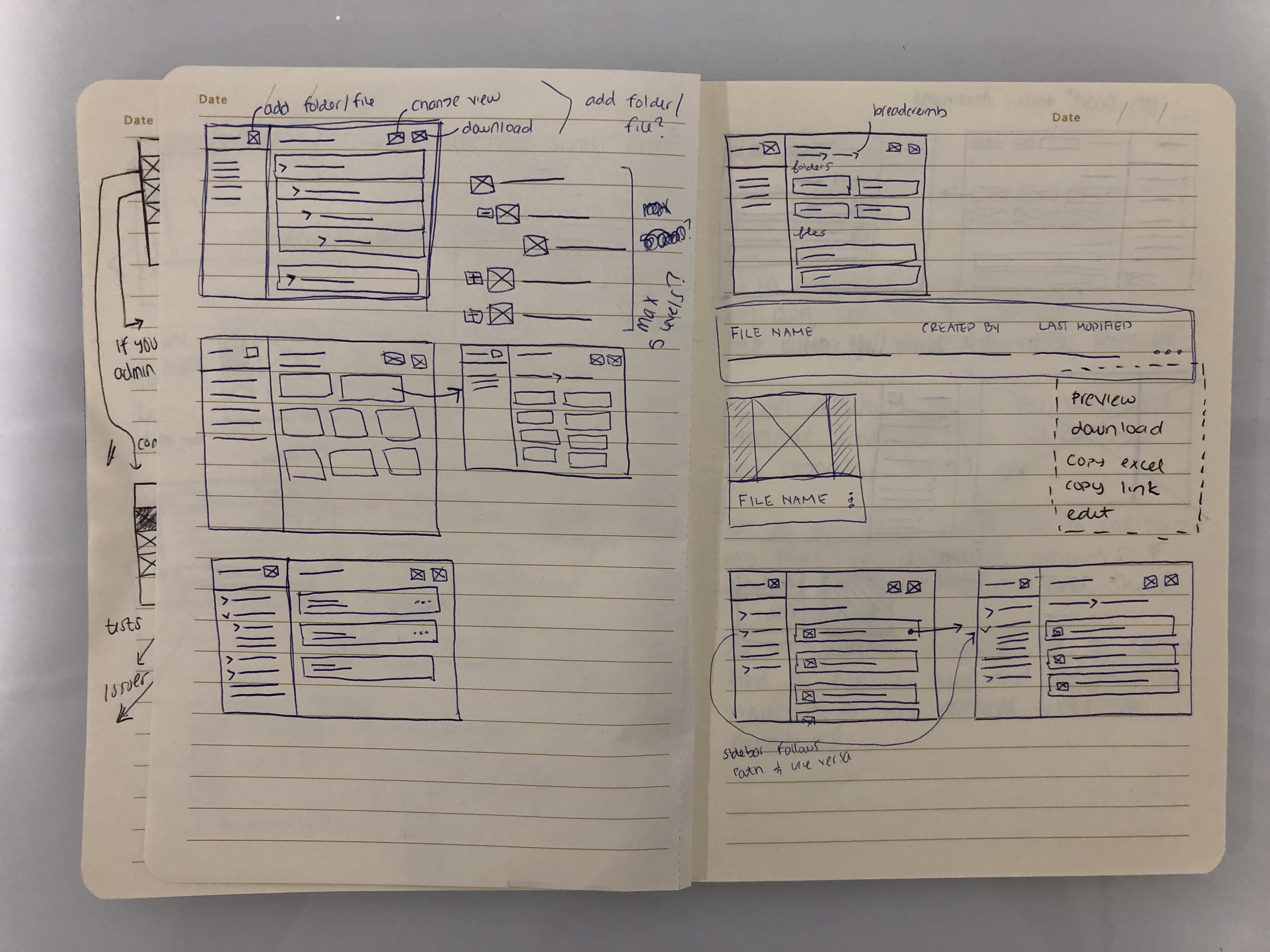
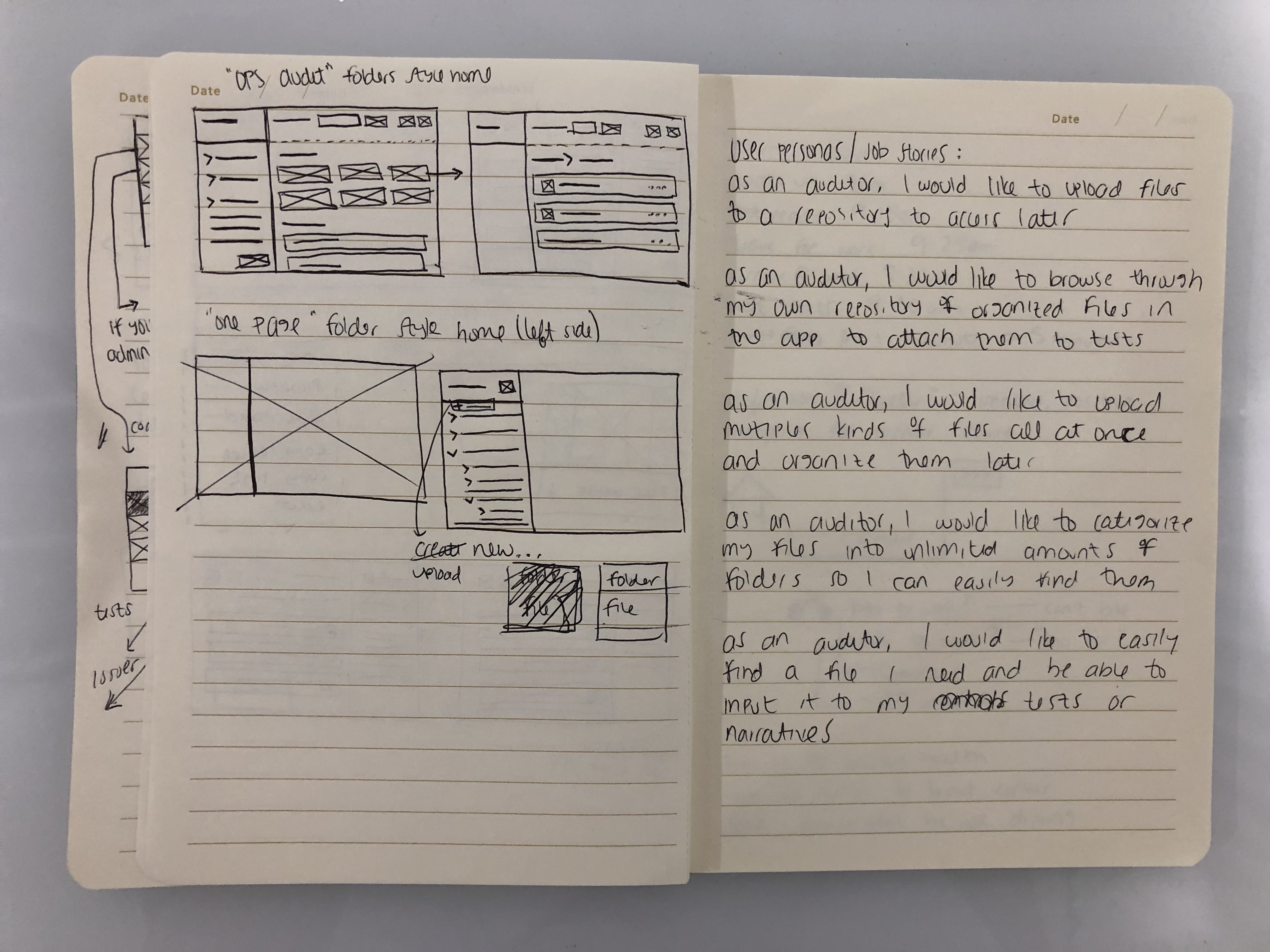
Since I was using the same structure of our OpsAudit tree view, I had to wireframe where the extra functionalities would be. I also had to wireframe how the new Folders header would look like and the left sidebar.
Hi-Fidelity and Prototyping
Our design system was implemented in Sketch, so I designed the hi-fidelity mockups in Sketch and imported them into Figma for prototyping. The left sidebar was a tree view that opened once you navigated throughout the folders module, it would highlight to show you what folder you are on. The header resembled how the rest of our headers are designed: with the module name, CTA, search bar, and a view switcher. The subheader followed the path of all the folders and subfolders. Folders were always at the top and files were at the bottom because there was more information needed to be shown for files (uploaded by, created by, uploaded at, created at).
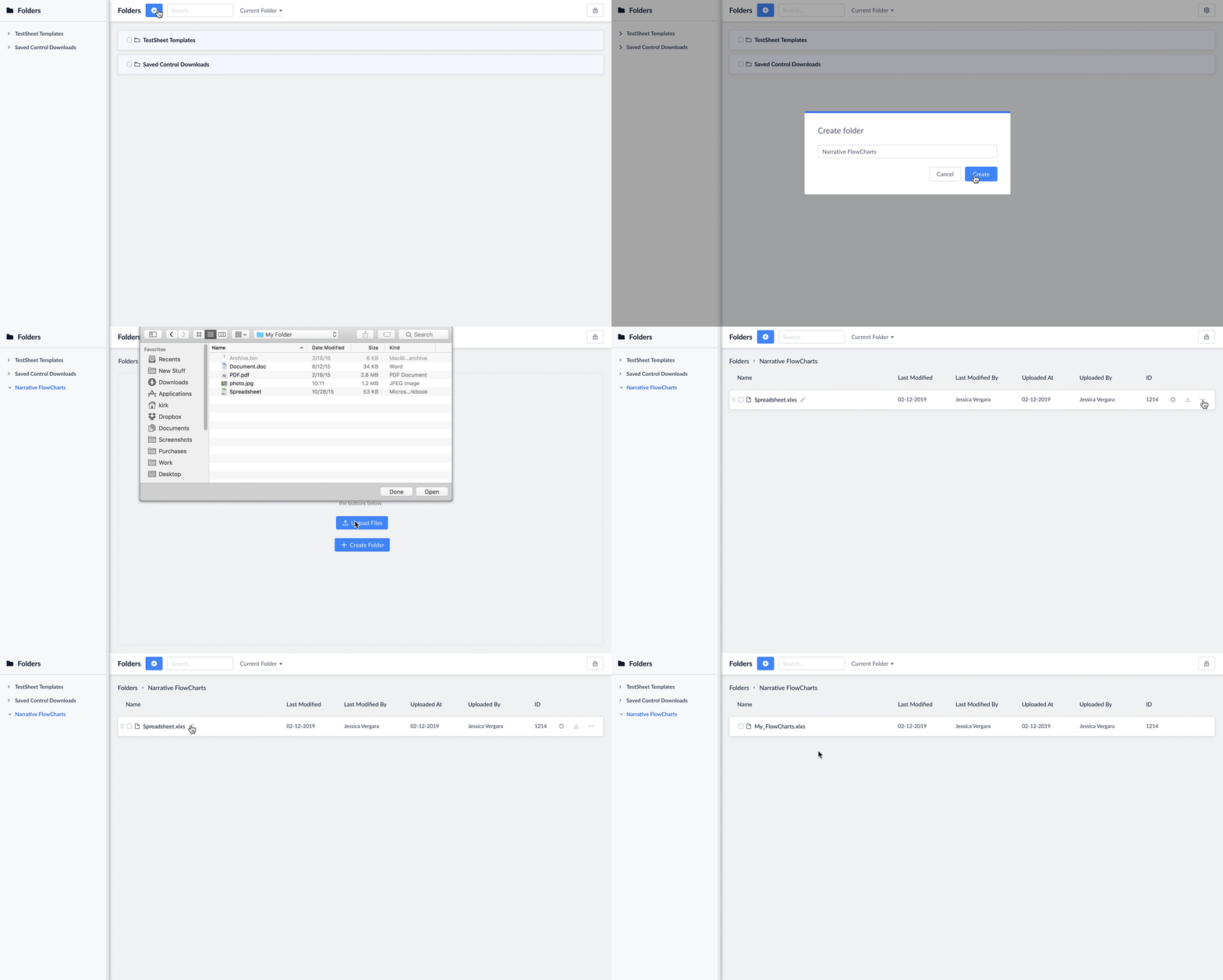
The first prototype was creating a new folder from the root folder and uploading a new file. Once the file was uploaded, then you can inline edit the name of the file.
Prototype of creating a new folder and uploading a new file inside that folder.
Before, the MVP included an unlimited amount of folder levels, but after talking to a client with over 7,000 folders they only used a maximum of 3 subfolder levels. The maximum number of subfolders would stop at 5 levels.
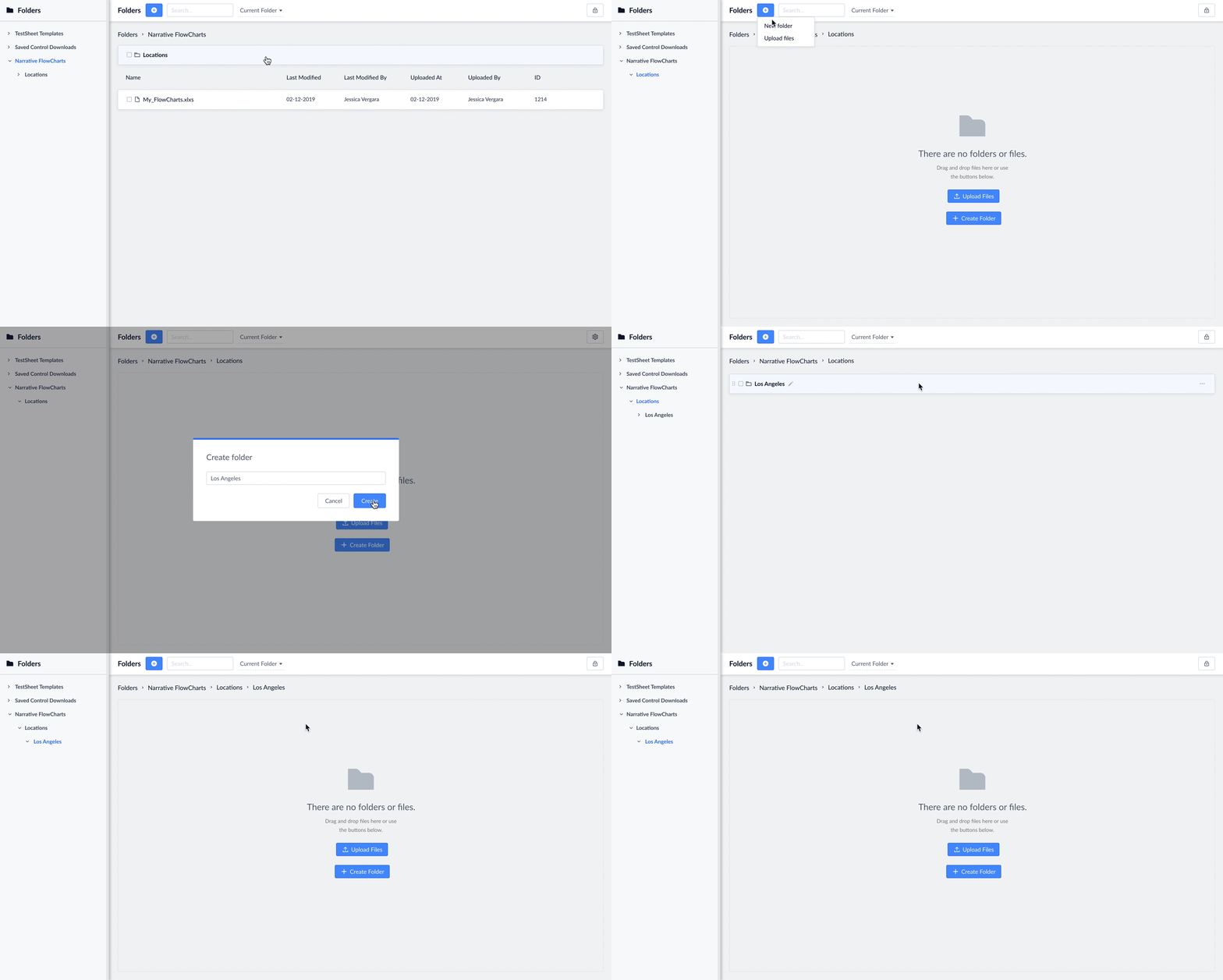
Prototype of creating multiple levels of sub-folders
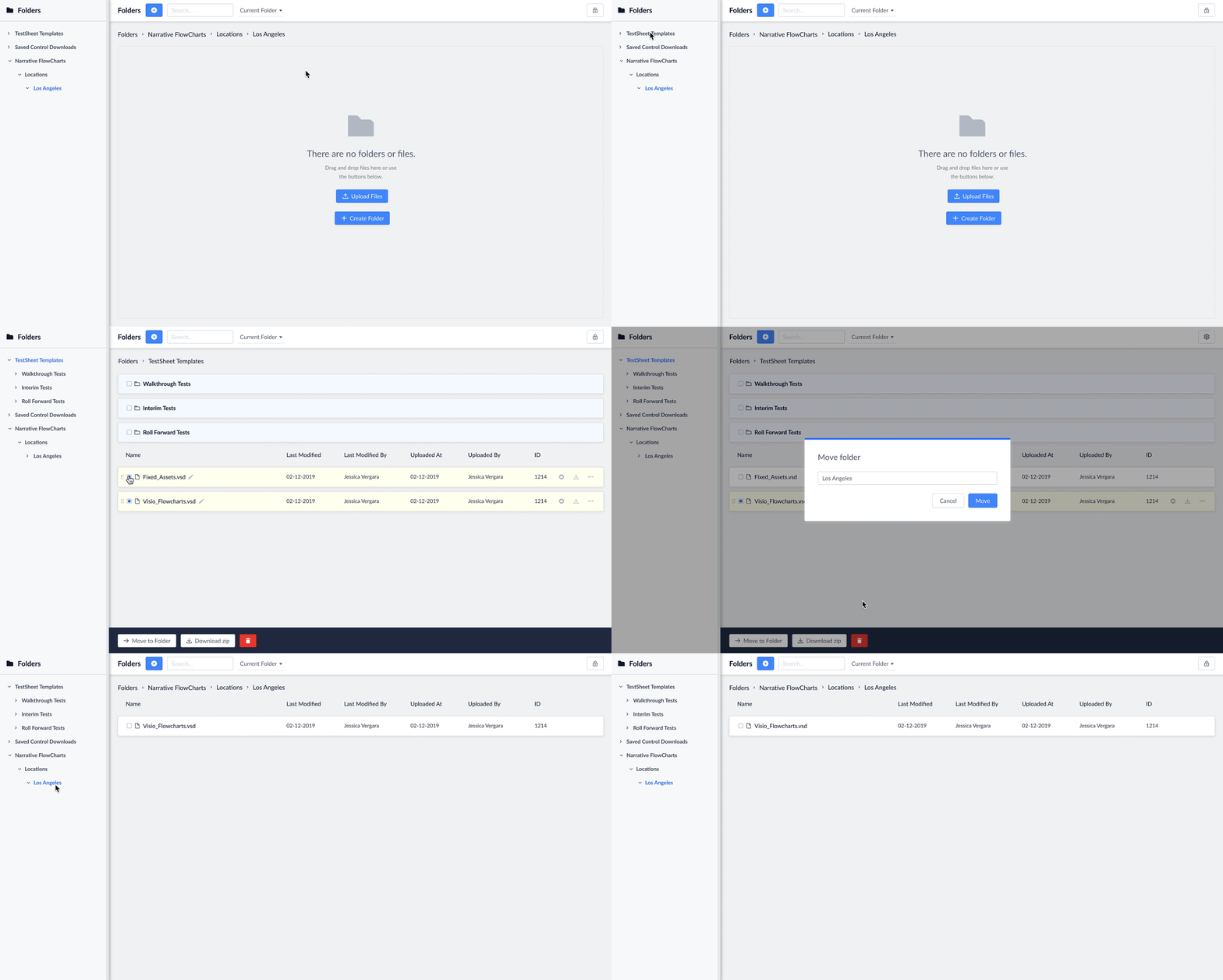
Besides dragging files and folders into other folders, users have other ways to move single or multiple files and folder in another distant folder.
The search functionality would automatically search in the current folder. You can sort files from ascending or descending order for names and dates. When you are in the root folder, it will search throughout all folders. If you are in a specific folder, you can search in that folder or switch to all folders.
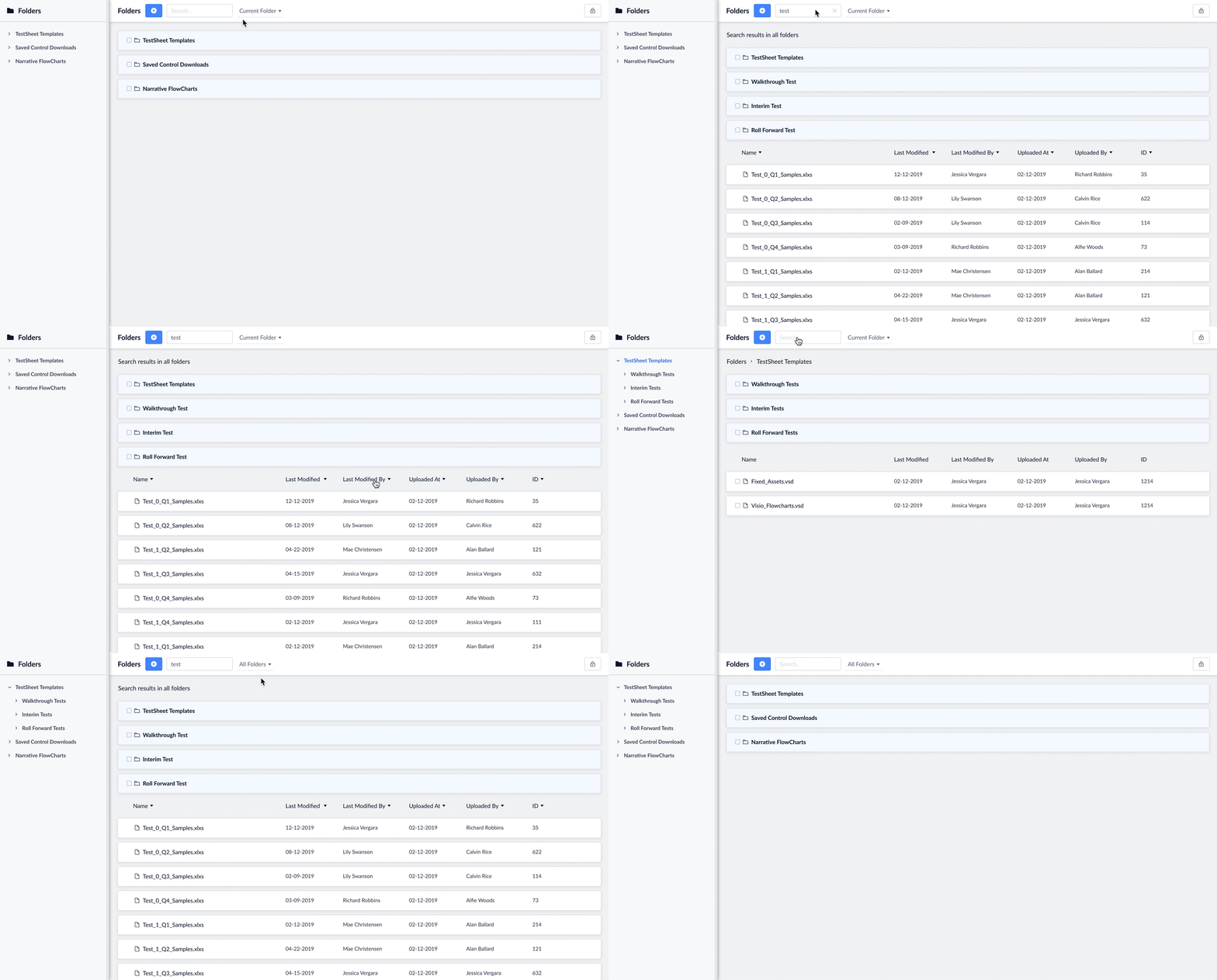
Prototype of searching within folders and all folders.
All together, these prototypes embodied the entire Folders epic, user story, and MVP. When it was user tested, current users said this is exactly the type of folders organization they needed. The only thing that was added after user testing was the ID column for Superuser access and putting some dropdown options as icons on hover.